How to Disable Jeep Grand Cherokee Air Suspension Safely
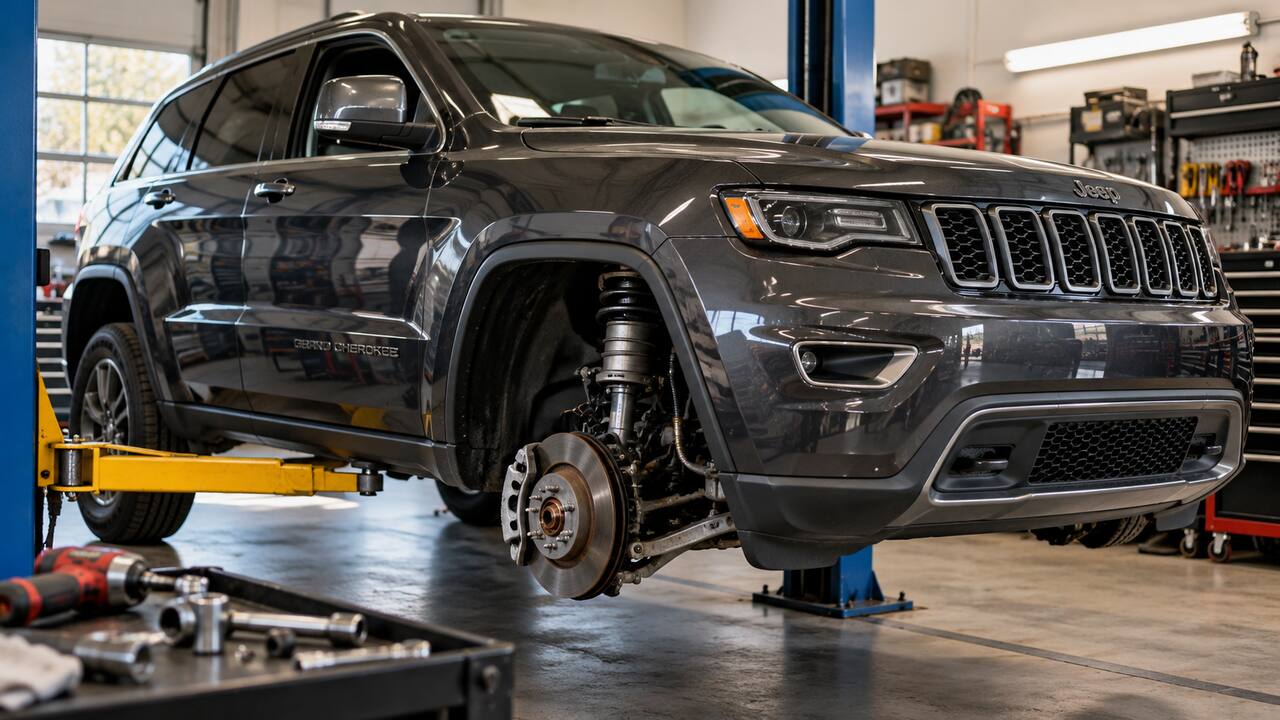
To temporarily disable Jeep Grand Cherokee Quadra-Lift automatic leveling, use the procedure for your model year. On 2011–2013 models, hold the console Up and Down buttons simultaneously for 5–10 seconds until the instrument display confirms that leveling is disabled. On many 2014-and-newer models, enable Tire/Jack Mode through the Suspension settings in Uconnect. These procedures are intended for tire changes and lifting, not for resetting suspension faults or permanently disabling Quadra-Lift.
There is no universal physical “air suspension off” switch on every Grand Cherokee. Tire/Jack Mode is temporary; it does not depressurize the system, repair a fault, or permanently deactivate Quadra-Lift. For flatbed towing use Transport Mode, and for an alignment use Wheel Alignment Mode.
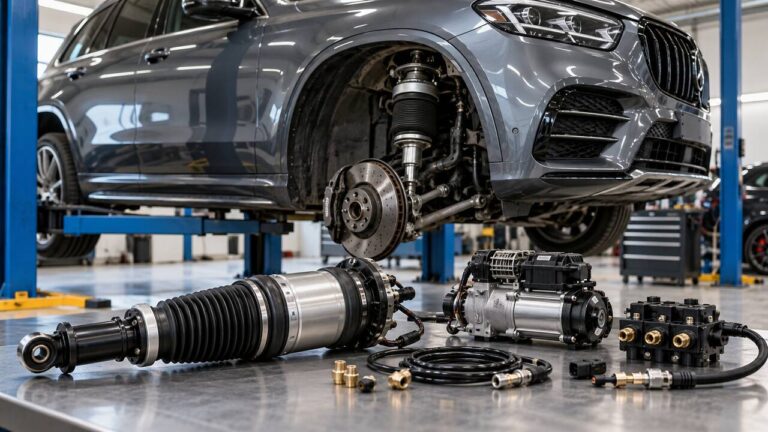
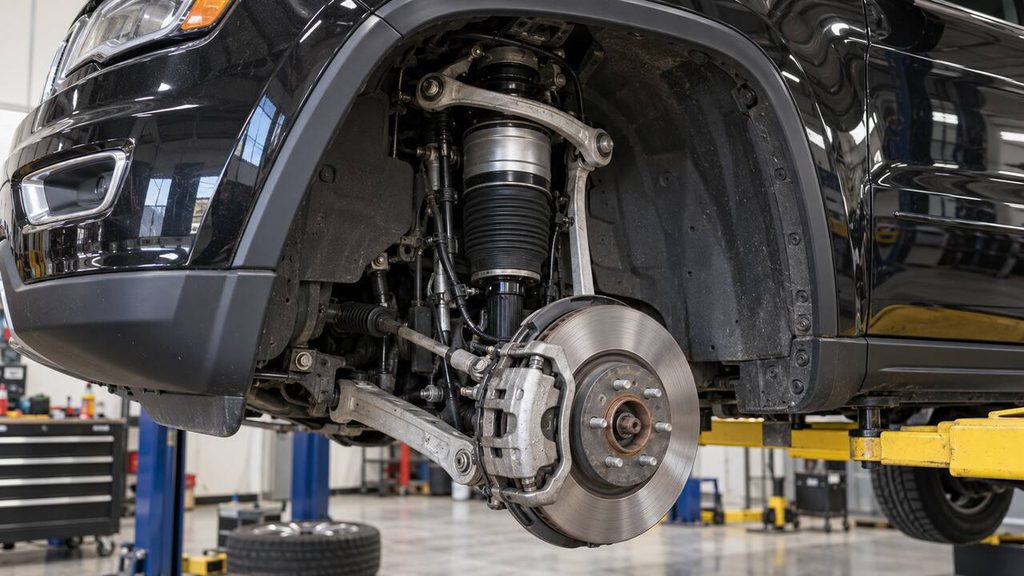
Important: Quadra-Lift contains high-pressure air. Jeep warns that servicing or depressurizing the system incorrectly can cause injury or component damage. Do not cut an air line, release pressure manually, remove an air spring, or work beneath the vehicle without the proper service procedure and support equipment.

Which Quadra-Lift Mode Should You Use?
Quadra-Lift provides different suspension modes for lifting, transporting and aligning the vehicle. Selecting the appropriate mode prevents unwanted height adjustments during service. Availability and activation procedures depend on the model year and equipment:
| Situation | Correct Mode | What It Does |
|---|---|---|
| Changing a tire or raising the Jeep | Tire/Jack Mode | Disables automatic leveling temporarily |
| Flatbed towing with all wheels off the road | Transport Mode | Lowers the Jeep and disables automatic leveling |
| Performing a wheel alignment | Wheel Alignment Mode | Prevents height changes during alignment |
| Normal driving | Normal Ride Height | Allows Quadra-Lift to operate automatically |
| Driving off-road | Off-Road 1 or Off-Road 2 | Raises the vehicle within its designed operating limits |
These modes are not interchangeable. Tire/Jack Mode is for servicing a wheel or lifting the vehicle; it is not a way to lock the suspension at maximum off-road height.
How to Disable Jeep Grand Cherokee Air Suspension Temporarily
The following method applies to many touchscreen-equipped Grand Cherokees, but menu wording can differ. Check the owner’s manual for your exact model year before lifting the vehicle.
- Park safely. Stop on firm, level ground, shift into Park, apply the parking brake, and keep passengers away from the vehicle.
- Use the ignition state specified in your manual. Many WK2 manuals instruct owners to enable the mode with the engine running, while newer applications may specify that the ignition must be on.
- Open the vehicle settings. On the Uconnect touchscreen, open Apps, Controls, or Vehicle Settings, depending on the system version.
- Open the Suspension menu. Look for the air suspension settings rather than the physical ride-height control beside the Selec-Terrain switch.
- Select Tire/Jack Mode. Enable the setting and wait for the instrument cluster or touchscreen to confirm the selection.
- Verify before lifting. Make sure the mode remains active and the vehicle is stable before following the jacking instructions in the owner’s manual.
2011–2013 Grand Cherokee: Disable Leveling With the Up and Down Buttons
On Quadra-Lift-equipped 2011–2013 Grand Cherokees, park safely on level ground with the engine running. Press and hold the suspension Up and Down buttons simultaneously for 5–10 seconds. After releasing both buttons, check the Electronic Vehicle Information Center (EVIC) for confirmation that automatic leveling has been disabled.
This is a temporary tire-changing function, not a suspension fault reset. Jeep states that driving above 5 mph (8 km/h) restores normal operation. Complete the tire change, lower the vehicle safely and remove the lifting equipment before moving it. Consult the exact model-year manual before beginning.
For model-specific instructions, consult the official 2011 Grand Cherokee User’s Guide for the early Up-and-Down button procedure, or the 2014 Grand Cherokee Owner’s Manual and 2021 Grand Cherokee Owner’s Manual for Uconnect-based suspension modes. Always confirm the procedure for your exact model year and equipment before lifting the vehicle.
How to Turn Off Tire/Jack Mode in Uconnect
On Grand Cherokees that use the Uconnect Tire/Jack Mode setting, reactivate normal suspension operation after the vehicle is safely back on the ground. Follow these steps before driving:
- Finish the repair and lower the Jeep completely to the ground.
- Remove the jack and all support equipment from beneath the vehicle.
- Return to the Suspension settings in Uconnect or the instrument-cluster menu.
- Deselect Tire/Jack Mode.
- Confirm that the suspension returns to Normal Ride Height and that no warning remains.
Depending on the model year, driving above a low speed can automatically cancel Tire/Jack Mode. For example, later Jeep documentation states that it is disabled above approximately 5 mph (8 km/h). Deselecting it manually before driving is preferable because you can verify normal operation while still parked.
How to Disable Quadra-Lift for a Wheel Alignment
Use Wheel Alignment Mode, not Tire/Jack Mode, before measuring or adjusting alignment. Quadra-Lift changes ride height automatically, and wheel angles can change with height. The alignment must be performed at the ride height and under the conditions specified by Jeep.
- Position the Jeep on the alignment rack as directed by the service procedure.
- Open the Suspension settings in Uconnect or the instrument-cluster display.
- Enable Wheel Alignment Mode before measurements or adjustments begin.
- After the work is finished, disable the mode and verify normal suspension operation.
An alignment shop familiar with Quadra-Lift should perform this work. Read our guide explaining when an alignment is required after suspension repairs.
How to Set Transport Mode for Flatbed Towing
Transport Mode is intended to assist with flatbed towing when all four wheels are off the road. It normally moves the Jeep to Entry/Exit height and disables automatic load leveling.
- With the vehicle in the ignition state specified by its manual, open the Suspension settings.
- Select Transport Mode and wait for confirmation.
- Follow Jeep’s towing procedure and the flatbed operator’s instructions.
- Deselect Transport Mode after unloading and before returning to normal driving.
Transport Mode is not intended for driving with a failed suspension or for ordinary trailer towing. Do not confuse flatbed transport with towing a trailer behind the Jeep.
Why Disable Automatic Leveling Before Lifting the Jeep?
Quadra-Lift can respond to changes in vehicle height even after the engine is switched off. Jeep notes that brief suspension operation after shutdown may be normal because the system is correcting the vehicle’s position.
If automatic leveling remains enabled while one corner is raised, the system may attempt to compensate. Tire/Jack Mode prevents that automatic response. It does not make an improperly positioned jack safe, so you must still follow the specified lift points and support instructions.
What Tire/Jack Mode Does Not Do
Tire/Jack Mode temporarily prevents automatic suspension leveling, but it does not isolate the pneumatic system or make suspension repairs safe by itself. Keep these limitations in mind before working on the vehicle:
- It does not remove pressure from the air springs or reservoir.
- It does not repair a leak, compressor, valve block, sensor, or control fault.
- It does not permanently disable Quadra-Lift.
- It does not increase ground clearance for off-road driving.
- It does not replace the service procedure required before removing pneumatic components.
- It does not make it safe to work beneath a vehicle supported only by a jack.
Do Not Pull a Fuse to “Fix” Quadra-Lift
Removing a fuse or disconnecting the battery is not the normal method for preparing a functioning Quadra-Lift system for a tire change. It can store fault codes, remove useful diagnostic information, or leave the vehicle at an unsuitable height.
If the suspension is already malfunctioning, record the warning message and diagnostic codes before disconnecting electrical power. A technician should test the power supply, compressor, leaks, pressure, valves, and sensors rather than assuming the fuse is the root cause.
Can You Disable Quadra-Lift Permanently?
Permanent deactivation generally means installing a complete coil-spring conversion designed for the exact Grand Cherokee model and drivetrain. This is a mechanical and electronic modification—not a menu setting.
A proper conversion may require replacement springs and dampers, removal or isolation of pneumatic components, electronic warning management, ride-height verification, fastener tightening at the specified suspension position, and a wheel alignment. Load leveling, selectable ride height, Aero height, and the original off-road height functions may be lost.
Do not follow the dangerous shortcut of cutting pressurized lines and removing air springs without the factory depressurization procedure. Jeep states that the system uses a high volume of pressurized air and directs owners to qualified service personnel.
Before converting, compare the complete repair cost with the conversion cost and consider ride quality, towing and payload use, warning lights, insurance, inspection rules, resale value, and the conversion-kit warranty. Our air suspension replacement cost guide can help you compare the options.
Tire/Jack Mode Is Enabled but the Jeep Still Changes Height
If the vehicle still appears to level itself, first verify that the mode was accepted rather than merely highlighted in the menu. Check the instrument cluster for confirmation and make sure the vehicle has not been driven fast enough to cancel the mode automatically.
If Tire/Jack Mode will not remain active or a suspension warning appears, stop lifting the Jeep until the issue is understood. Possible causes include a control fault, incorrect menu selection, low voltage, sensor data, or a difference in the procedure for that model year.
Quadra-Lift Does Not Work After Tire/Jack Mode
After lowering the Jeep, deselect Tire/Jack Mode and allow the system time to return to Normal Ride Height. Close all doors and the liftgate because an open door can pause a requested lowering operation on applicable models.
If the suspension remains disabled, the Jeep sits unevenly, or “Service Air Suspension System” appears, do not repeatedly cycle the height controls. Scan the air suspension module and diagnose the fault. Tire/Jack Mode does not normally damage the system, but lifting or servicing it incorrectly can expose an existing problem.
For reset and control guidance, use our separate Quadra-Lift reset guide. For sagging, height faults, warning messages, leaks, or compressor symptoms, see our Jeep Grand Cherokee air suspension problems guide. This page is specifically about intentionally disabling automatic leveling for service.
Frequently Asked Questions
Is there an air suspension switch in a Jeep Grand Cherokee?
The center-console control changes ride height but is not a universal permanent on/off switch. On many models, automatic leveling is temporarily disabled through Tire/Jack Mode in Uconnect or the instrument-cluster settings.
Should I use Tire/Jack Mode before changing a tire?
Yes, on a Grand Cherokee equipped with Quadra-Lift. Jeep provides Tire/Jack Mode specifically to disable automatic leveling while changing a spare tire. Follow the complete jacking procedure for your model year.
Does Tire/Jack Mode release the air pressure?
No. It disables automatic leveling but does not safely depressurize the complete system for component removal. Air suspension service requires the proper depressurization procedure and equipment.
Can I drive with Tire/Jack Mode enabled?
It is intended for tire changing or lifting, not normal driving. Many model years automatically cancel the mode when the vehicle is driven. Deselect it and verify normal suspension operation before returning to the road.
Will disabling the suspension give me more off-road clearance?
No. Use Off-Road 1 or Off-Road 2 when conditions and vehicle speed permit. Disabling automatic leveling does not safely raise the Jeep beyond its designed Quadra-Lift heights.
What mode should a tire shop or alignment shop use?
Use Tire/Jack Mode when lifting the vehicle for tire service and Wheel Alignment Mode when measuring or adjusting alignment. Tell the technician that the Jeep has Quadra-Lift before work begins.
Use the Mode Designed for the Job
For a tire change or normal lifting, enable Tire/Jack Mode through the settings provided for your model year. Use Transport Mode for flatbed towing and Wheel Alignment Mode for alignment work. None of these settings permanently removes Quadra-Lift or makes high-pressure air suspension work safe for an inexperienced DIY repair.